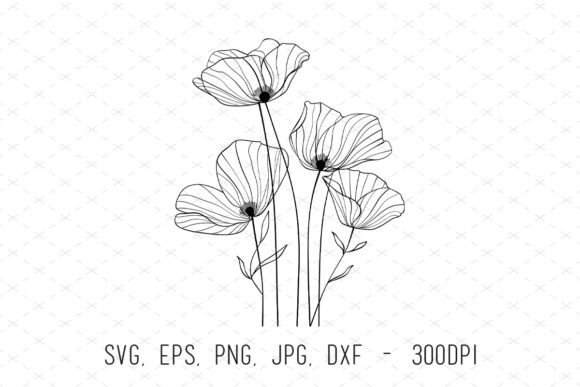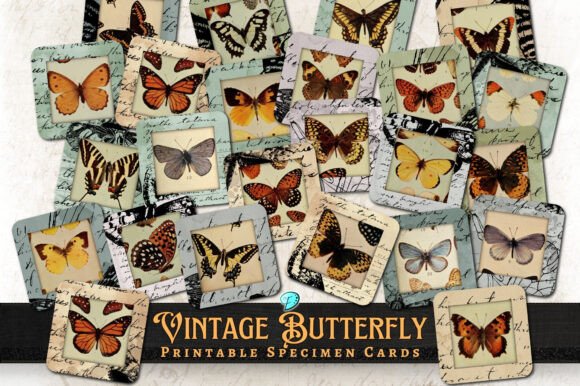
Botanical Beauties Tag Ephemera Guide
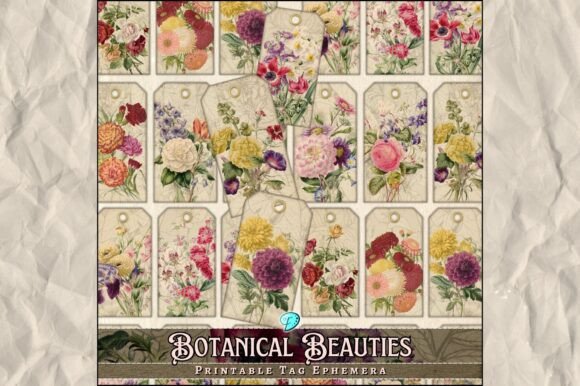
Creating a unique journal, scrapbook, or handmade card often starts with the right visual elements. The Botanical Beauties Tag Ephemera collection offers exactly that: a curated set of digital assets designed to bring natural elegance and artistic flair to your paper crafts. Whether you are a seasoned scrapbooker looking for fresh inspiration or a beginner just starting your junk journaling journey, these printable sheets provide a versatile foundation for countless creative projects.
This digital pack is specifically crafted to bridge the gap between digital design and physical crafting. It includes two high-quality printable sheets sized at 8.5” x 11”, which is the standard letter size used by most home and office printers. The collection comes in two distinct formats to suit different needs: 300dpi Transparent PNGs and 300dpi JPEGs. This dual-format approach ensures that whether you need a clean background or a cut-out element with no white borders, you have the perfect file ready to go.
Understanding the Artistic Blend
What sets this collection apart is its unique artistic composition. The work is not simply a stock photo download; it is a thoughtful blend of hand-drawn illustrations, mixed media textures, found imagery, generated elements, and digitally enhanced visuals. This hybrid approach creates a depth that feels organic and tactile, even when viewed on a screen or printed on paper.
The hand-drawn elements add a human touch that resonates with viewers, while the mixed media and found imagery components introduce texture and history. For those who appreciate the "junk journal" aesthetic—where layers of old papers, tickets, and ephemera tell a story—these botanical designs fit seamlessly. They mimic the look of vintage botanical prints but with a modern twist that keeps them fresh and relevant for contemporary projects.
Versatile Applications for Your Crafts
The utility of the Botanical Beauties Tag Ephemera extends far beyond simple decoration. Because the files are provided in high resolution (300dpi), they are crisp enough for professional-grade printing. Here are some practical ways to integrate these assets into your workflow:
- Junk Journaling: Use the transparent PNGs to layer over other papers. You can create pockets, tags, and decorative overlays that add dimension to your pages without obscuring the text or photos underneath.
- Scrapbooking: Print the JPEG sheets as full-page backgrounds or trim them down to frame family photos. The botanical theme works beautifully for spring albums, wedding memories, or nature-themed layouts.
- Card Making: Cut out individual flowers or leaves from the printable sheets to use as die-cut substitutes. These make excellent focal points for greeting cards, invitations, and gift tags.
- Cricut and Cutting Machines: The transparent PNGs are Cricut compatible, meaning you can import them directly into design software like Cricut Design Space. You can then use your machine to cut precise shapes for intricate paper crafts.
- Envelopes and Packaging: Add a touch of sophistication to your mailings by using these images as seals, stamps, or decorative inserts inside envelopes.
Technical Specifications and File Formats
When working with digital downloads, understanding the file types is crucial for a smooth crafting experience. This pack provides two primary options to ensure maximum flexibility.
The Transparent PNGs are ideal when you want to place an image on top of another colored background without a white box around it. This is particularly useful for creating layered effects in junk journals or designing custom stickers. The transparency allows the underlying paper texture to show through, enhancing the mixed-media feel.
The JPEGs, on the other hand, are perfect for printing as full sheets of patterned paper. If you plan to print the entire 8.5” x 11” page to use as a background or to cut into strips for washi tape alternatives, the JPEG format ensures consistent color and detail across the whole sheet.
Both formats are delivered at 300dpi (dots per inch), which is the industry standard for high-quality print. This resolution guarantees that the fine lines of the hand-drawn illustrations remain sharp and clear, avoiding the pixelation that often plagues lower-resolution web images.
Important Notes for Windows and Mac Users
A common point of confusion for digital crafters involves file compatibility between operating systems. This product includes MacOSX files within the zip archive. If you are using a Windows computer, you may notice some filenames that start with an underscore and a dot (e.g., ._BotanicalBeauties.png). Please do not worry; these are not missing files or errors.
These files are extra metadata created by macOS to preserve file attributes. While essential for Mac users, they can be safely ignored by Windows users. In fact, it is best to avoid opening or attempting to use the versions with the ._ prefix, as they may not display correctly in your design software. Simply select the standard file names for your project. If you ever feel unsure about the contents of the zip file, cross-reference the file list with the product description to confirm everything is accounted for.
Getting Started with Your Project
Before you begin printing, consider your paper choice. Since these designs feature delicate botanical details, a slightly heavier cardstock or a textured journaling paper will yield better results than thin printer paper. The weight of the paper will help support the ink and prevent bleed-through, especially if you plan to write over the printed images.
If you are new to digital ephemera, start by downloading the files and previewing them on your screen. Zoom in to check the clarity of the hand-drawn lines. Once satisfied, run a test print on a single sheet of regular paper to see how the colors translate from your monitor to your printer. This small step can save you expensive specialty paper later.
Support and Community
Crafting is a journey of discovery, and sometimes questions arise along the way. If you have any inquiries about the Botanical Beauties Tag Ephemera product, such as how to resize images or specific printing tips, direct communication is encouraged. The creator is available to answer questions and provide guidance to ensure you get the most out of your purchase.
Feel free to message the seller directly for assistance; responses are typically quick and helpful. Additionally, checking the store information can provide further details on usage rights, commercial licenses, and updates to the product line. By engaging with the creator, you become part of a supportive community of makers who share a passion for blending art and craft.
Whether you are organizing a personal memory book, creating gifts for friends, or producing items for a small business, these botanical designs offer a reliable and beautiful resource. With their blend of traditional illustration techniques and modern digital convenience, they empower you to create something truly unique. Happy crafting!